
WINDOWS PROTECTED PRINT MYTH CHECK
HEARD SOMETHING ABOUT WPP? LET’S CHECK THE FACTS.
Windows Protected Print is changing the conversation around drivers, print security, device compatibility, and modern print management. Some of what you’ve heard is true. Some of it needs context. ACDI is here to help partners understand what matters, what needs testing, and where PaperCut MF fits today.

FIRST, WHAT IS WINDOWS PROTECTED PRINT?
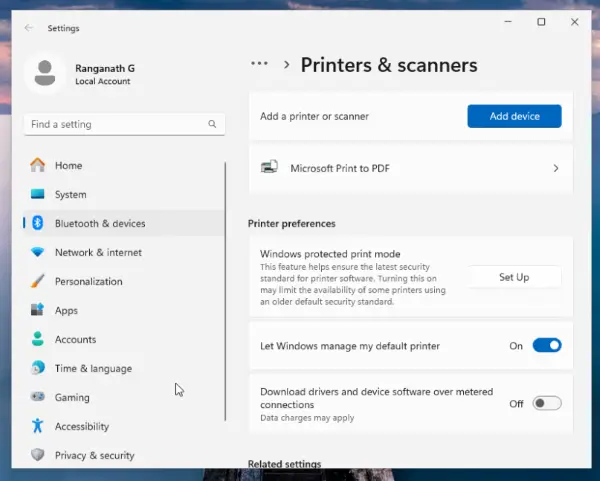
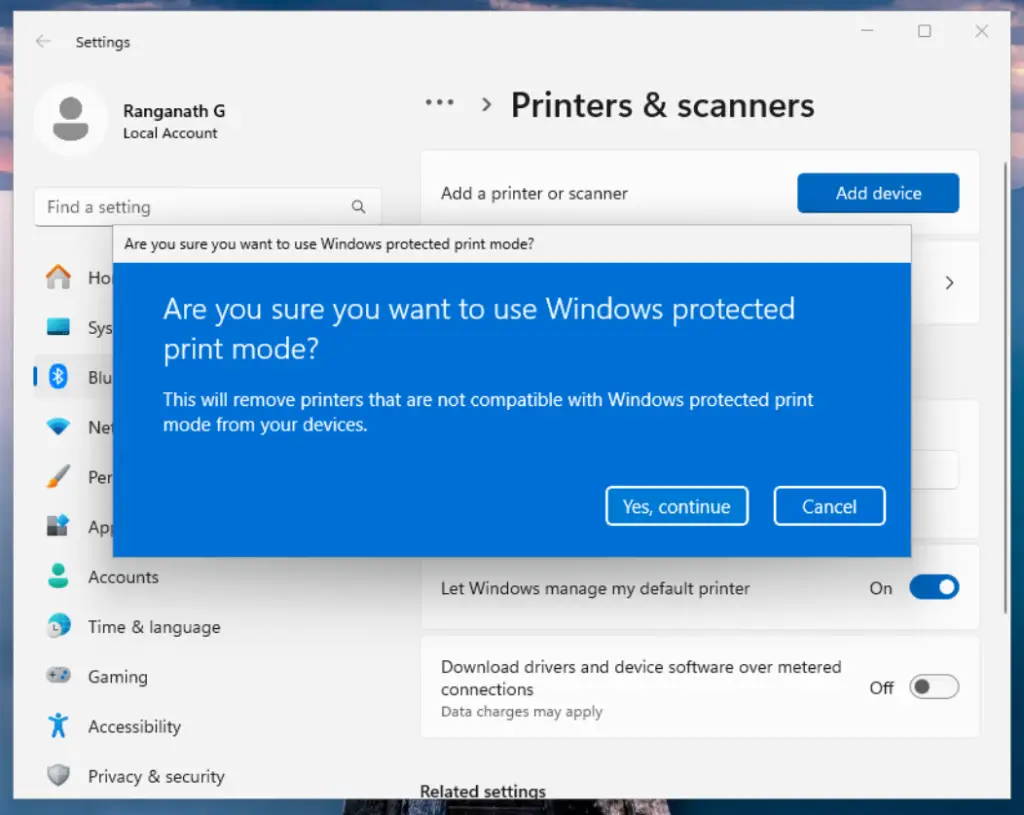
Windows Protected Print, or WPP, is Microsoft’s modern approach to Windows printing. It shifts Windows environments away from traditional third-party print drivers and toward a more secure, IPP-based print model.
In plain English: WPP changes the Windows print path by moving supported printing toward Microsoft’s modern print stack instead of traditional third-party print drivers.
That shift may help reduce driver-related complexity and improve print security, but it also changes how customers need to think about device compatibility, printer-specific features, and the workflows users rely on every day.
WPP Reality Check
WPP sounds simple: fewer drivers, stronger security, cleaner print architecture. But in real customer environments, the details matter.
- Driverless does not mean effortless
- IPP support does not guarantee full feature parity
- Universal Print is aligned with WPP, but not required
- Print Support Apps are not the same as traditional drivers
- Secure release, reporting, and workflows still need validation
WPP Myth Check: What's True, what's not, and what needs a closer look
WPP is a major shift, and major shifts tend to create confusion. Dealers may hear different things from customers, IT teams, OEMs, Microsoft resources, or end users. The goal is not to overcomplicate the topic. The goal is to separate the headline from the real-world impact.
Myth:
“WPP means customers have to use Universal Print.”
Status:
Myth Status: BUSTED
Reality:
WPP and Universal Print are connected in Microsoft’s broader print direction, but they are not the same thing. WPP is the Windows print architecture change. Universal Print is Microsoft’s cloud print platform.
Takeaway
Think of WPP as the Windows-side print model and Universal Print as the cloud print infrastructure.
Myth:
“Driverless printing means everything gets easier immediately.”
Status:
Needs Context
Reality:
The direction is simpler in theory. Reducing traditional driver dependency can help simplify environments and improve security. But real print environments are full of details: device models, finishing features, authentication methods, reporting needs, print rules, and user expectations.
Takeaway:
Driverless does not mean decisionless. Customers still need a plan.
Myth:
“Print Support Apps are just the new print drivers.”
Status:
Busted
Reality:
Print Support Apps, or PSAs, are not the same thing as traditional drivers. In the modern print model, the driver role is handled by Microsoft’s IPP Class Driver. The PSA acts more like the OEM companion layer for printer-specific settings, preferences, validation, and workflow behavior.
Takeaway:
The PSA does not replace the driver. It extends the print experience around the modern IPP path.
Myth:
“If a device supports IPP, all features will work the same way.”
Status:
Not So Fast
Reality:
IPP helps standardize printer communication, but it does not automatically guarantee every advanced feature will behave exactly like it does today. Finishing options, accessories, vendor-specific settings, and workflow logic may still need testing.
Takeaway:
Printing may work. The full print experience still needs validation.
Myth:
“WPP removes the need for print management.”
Status:
Definitely Busted
Reality:
WPP may change how Windows handles drivers and printer communication, but customers still need visibility, control, security, reporting, accountability, secure release, and a consistent user experience.
Takeaway:
WPP changes part of the print path. It does not replace print strategy.
UNDERSTANDING THE MODERN PRINT MODEL
Part of the confusion comes from the names. WPP, IPP, PSAs, and Universal Print are related, but they each play a different role.
The Windows Print Shift
Microsoft’s modern Windows print model focused on reducing traditional driver dependency and improving print security.

The Communication Standard
The standards-based method Windows uses to communicate with printers in the modern print model.
The OEM Experience Layer
Apps that can support printer-specific settings, preferences, validation, and user experience.
The Cloud Print Platform
Microsoft’s cloud print infrastructure. It aligns with WPP, but WPP does not have to depend on it.
Simple Version: WPP is the shift. IPP is the path. PSAs support the experience. Universal Print is the cloud platform.
WHERE WPP WORKS WELL:
WPP and modern print architecture may be a better fit for environments that are already moving toward simpler, cloud-aligned infrastructure.
WPP MAY WORK WELL FOR:
- Simple print environments
- Distributed or remote workforces
- Customers already using Microsoft Entra ID / Azure
- Organizations looking to reduce print server dependency
- Basic print needs where advanced finishing and complex workflows are limited
- Customers moving toward cloud-first infrastructure
For the right environment, WPP can support a cleaner and more secure print direction. The key is knowing where the customer’s needs are simple and where they are not.
WHERE GAPS STILL EXIST
WPP is moving the industry forward, but maturity varies. Dealers should help customers understand what works today, what is still evolving, and what needs validation before rollout.
Advanced Finishing
Stapling, hole punching, booklet making, folding, tray selection, and other device-specific finishing features may need testing.
Authentication
Badge release, QR release, mobile release, and secure print workflows may vary depending on the customer’s environment and solution mix.
Feature Parity
Not every OEM, model, or Print Support App experience will be identical. Device feature parity may depend on PSA maturity and the device itself.
Visibility & Reporting
Customers still need tracking, reporting, accountability, cost control, and print policy enforcement.
Enterprise Workflows
Complex environments may still need hybrid support, print management tools, and a phased rollout strategy.
WHERE PAPERCUT MF FITS IN THE WPP CONVERSATION
WPP may change how customers think about drivers, print queues, and printer communication. But it does not remove the need for print management.
For PaperCut MF environments, the conversation should focus on what works today, what needs to be tested, and how to protect the customer’s print experience as Microsoft’s modern print architecture evolves.
ACDI helps partners connect the technical shift to real customer needs, including:
- Secure release
- User authentication
- Print tracking
- Reporting
- Cost control
- Policy enforcement
- Print deployment strategy
- Customer experience

The opportunity is not to make WPP sound scary. The opportunity is to make sure customers do not treat it like a simple checkbox.
Download this quick guide to understand what Windows Protected Print is, how it differs from Universal Print, where gaps still exist, and how to start the right conversations with your customers.
STILL HAVE QUESTIONS?
Get quick answers about document capture, workflow automation, integrations, implementation, and more.