



Powerful print management for printers and MFDs
Cloud-Native Print Management.
Cloud-Based PaperCut Support.
Explore the 3rd-Party Software integrations available for PaperCut MF
Connect Hive data to Tableau.
Business data in an easy to use dashboard.
Take your document workflow automation to the next level.
Centralized fleet management.
Seamless USB printer management.
Secure and flexible solutions for any type of authentication your business may need.
Identity access management that delivers productivity, transparency and confidence.
Coinnect provides the ability to charge for a variety of MFP functions specifically on lexmark devices.
Simple, turnkey solutions that drive differentiation and revenue for our partners that want to be involved in the electric car revolution.
Coins, bills, credit cards, and mobile payment solutions all manufactured by ACDI.
Designed to streamline money management in an account-based pay for print environment.
Control your overhead by reducing your paper and equipment costs with the EX2000.
CONTROL YOUR DEVICES
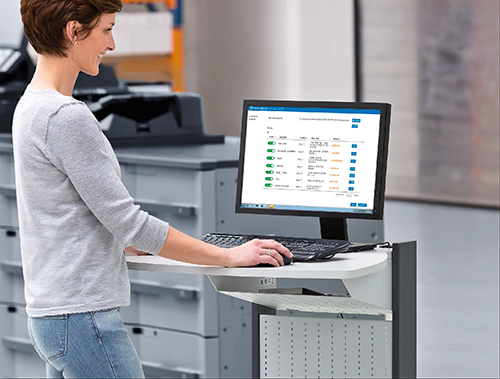
Answer the tough questions with full visibility into your printer and copier fleet.
SAFEGUARD YOUR DATA
Protect your data before, during, and after printing with PaperCut print security.
SAVE TIME AND MONEY
Cut costs, save time, and manage your devices with affordable solutions from ACDI and PaperCut.
ANY DEVICE, ANYWHERE
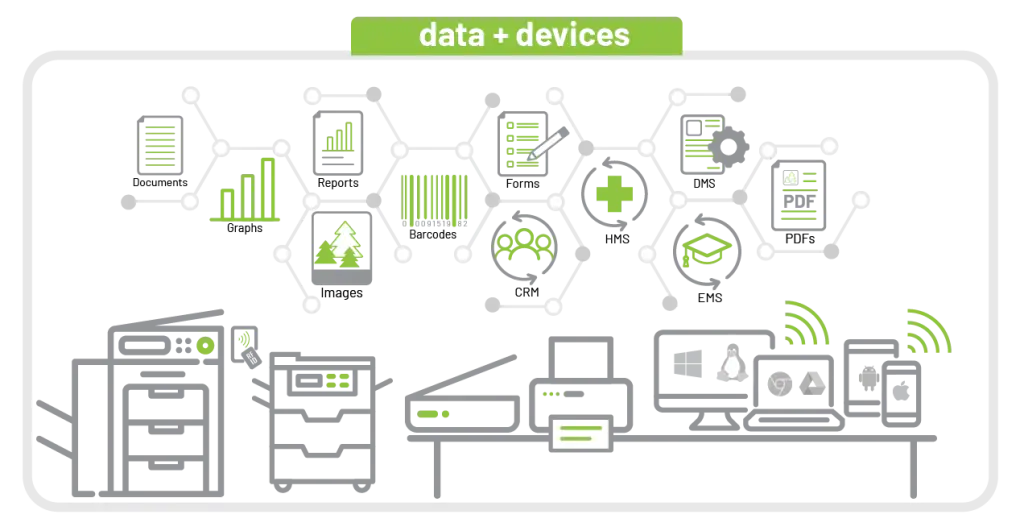
Enjoy better productivity with easy access to your documents, data, and devices.
Lisa Payne, Desktop Network Specialist, Little Rock School District
Answer the tough questions with full visibility into your printer and copier usage.
Security and simplicity have been coded into PaperCut solutions for over twenty years (that’s got to earn us a Ph.D., right?), so you can focus on the health of your patients, not your printers.
Charge clients for prints, copies, scans and faxes with 100% accuracy.
PaperCut MF empowers you to print from any device. Office environments like these benefit significantly from PaperCut’s “Bring your own device” print options and reliable security.
Protect your systems, information, and future growth with powerfully scalable print management.
Michelle Hernandez
IT Asset Manager
University of Arkansas Medical Sciences
SOFTWARE SUPPORT
1-877-290-3327
7 am – 6pm CST, M – F
software.support@acd-inc.com
HARDWARE SUPPORT
hardware.support@acd-inc.com
8am – 5pm CST, M – F
LATIN AMERICAN SUPPORT
877-290-3327
7am – 5pm CST, M – F
soporte@acd-inc.com
Get hands-on troubleshooting and technical help with our tech support engineers.
Schedule, manage, and track your ongoing projects with our detailed team of Project Coordinators.
Maximizing efficiency for all deployments from start to finish.
Connect PaperCut MF to the systems and processes you already use with a custom software integration.
An ACDI support agreement covers telephone, email, chat support along with remote assistance using remote support software. For configuration of new or additional devices, or assistance with migrating or configuring additional PaperCut features, please contact your copier dealer.
Discover the perfect blend of laughter and learning with our Technical Training course! Designed specifically for software engineers, solutions consultants, and your go-to tech expert, this comprehensive program dives deep into PaperCut MF, empowering you to master its intricacies with ease. Elevate your expertise and embark on a transformative learning journey today!
It represents many things and it means something different to each person—but the common denominator lies in making whatever you do the best job ever. Be it work, your job as a parent, your hobbies, etc. The commitment to make each day the best day and make everything we do the best job ever.

Our vast industry experience and expertise in technical support and service sets us apart.
In partnership with Scanshare, we’re excited to announce the release of Scanshare Version 5.26.01, bringing meaningful enhancements that improve performance, strengthen authentication workflows, and expand integration capabilities across the platform. This update builds on recent Scanshare innovations to deliver a faster, more connected, and more streamlined document capture and workflow experience.
Scanshare v5.26.01 introduces notable improvements to Single Sign-On (SSO), especially when working with Microsoft Azure and Google Workspace directories.
Users benefit from faster login experiences, more responsive directory browsing, and improved validation of mapped permissions—making authentication smoother and more reliable across environments.
This release enhances several key connectors to support more flexible workflows and cleaner integrations with leading platforms:
– Botdoc Connector enhancements improve token handling for more reliable integrations
– Nedap ONS Connector updates align with the latest API capabilities
– NetDocuments Connector now supports additional display formats and more refined item filtering
– OneDrive, OneDrive for Business, and SharePoint Connectors introduce a return name option for improved file identification
Scanshare v5.26.01 delivers refinements across embedded scan applications to enhance usability and consistency at the device.
Improvements across supported platforms help ensure smoother scan workflows, clearer user interactions, and a more dependable experience when capturing documents directly from the MFP.
Take your workflows automation to the next level.
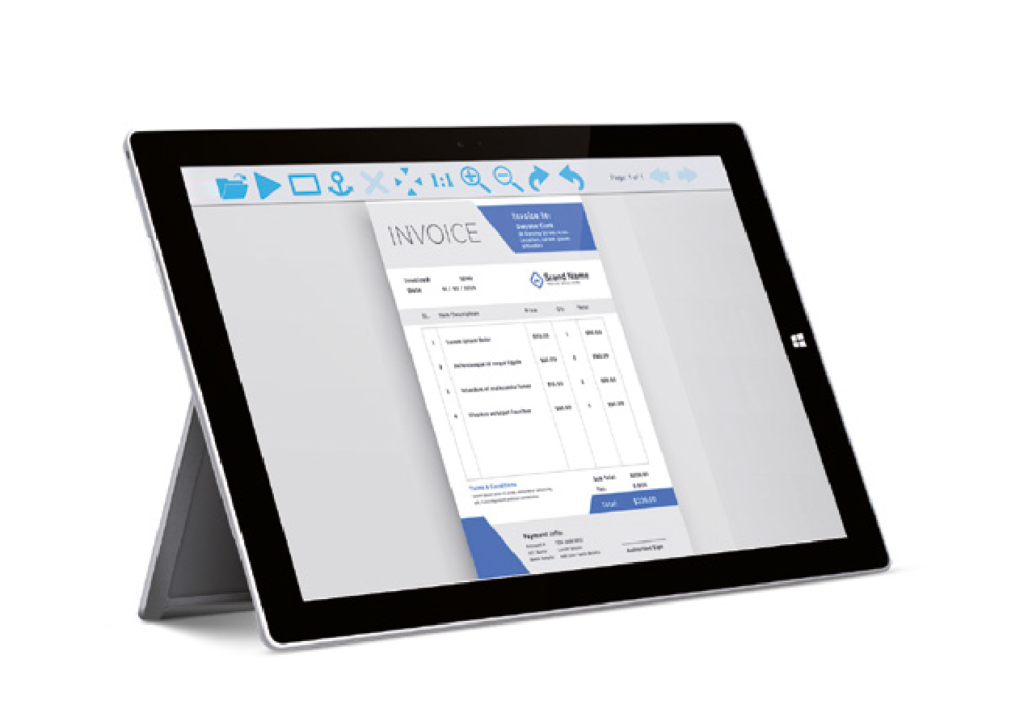
Scanshare Capture is a powerful yet easy-to-use solution that lets you integrate your paper-based workflows, inbound emails, and faxes to your document management systems, databases, corporate file servers, and content management applications.
Capture and convert your paper documents by using your office multifunctional device (with apps for most popular brands) via the Scanshare Capture embedded client.
KEY FEATURES
Enhanced efficiency shouldn’t mean breaking the bank. That’s why every single Scanshare edition offers the following features:
Store packs “out-of-the-box”, integrate your existing scanning applications with the endless possibilities of Scanshare’s connectors. With the flexibility of the platform, Scanshare can streamline existing processes filling the gap with the existing third party systems.
The most critical part of today’s business is the challenge in managing a variety of structured and unstructured data. Scanshare Smart OCR module enables intelligent data capturing to optimize inefficient document workflows where the user still requires manual data entry.
Take your workflows automation to the next level.
We know it’s a lot to take in all at once and that questions are inevitable. Please reach out – we love talking about how our solutions will streamline your business processes regarding security, cost savings, accountability, accessibility, analytics, and more.